
Game Feel Is Ninety Percent Feedback
I spent three weeks last month trying to code a combat system for my own project, and I thought I had it figured out. I had the math right, the damage numbers were scaling perfectly, and the logic was airtight. But when I actually pressed the key to swing the sword, it felt like nothing. It was just a math equation happening in a void. Most developers think they can solve this with more particle effects or bigger numbers, but they’re missing the point of how feedback makes actions feel good. You can’t just throw a screen-shake at a problem and call it “juice”; if the visual doesn’t actually communicate the weight of the decision you just made, you’re just adding visual noise that competes with the player’s actual focus.
I’m not here to give you a lecture on “user engagement metrics” or some academic breakdown of dopamine loops. I want to talk about the physics of intent. I’m going to show you why a tiny, well-timed sound effect is worth more than a thousand lines of complex damage logic, and how you can use sensory cues to tell your players that their input actually matters. This isn’t about making a game look pretty; it’s about making sure your game’s sentences actually make sense.
Table of Contents
Visual and Auditory Juice Making the Players Intent Legible
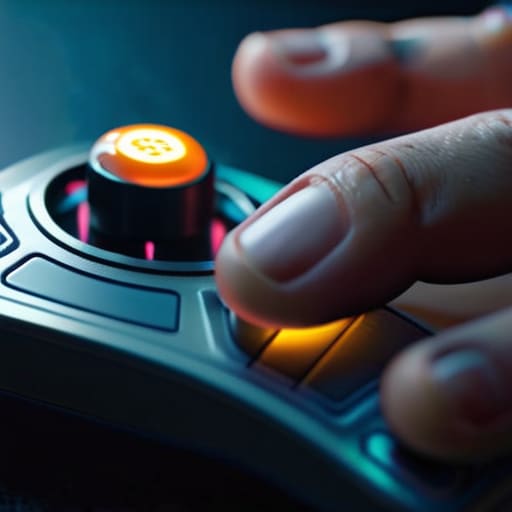
If you press a button and the character moves, that’s just data. If you press a button and the screen shakes slightly while a heavy thud echoes through your headset, that’s a conversation. This is what people call visual and auditory juice, but I prefer to think of it as the game confirming you actually exist in its world. Without that extra layer of sensory feedback in game design, you aren’t playing a character; you’re just clicking through a spreadsheet of hitboxes and coordinates.
The problem is that developers often treat these details as “polish”—something to be tacked on after the core mechanics are finished. But you can’t polish a corpse. If the fundamental loop doesn’t have weight, no amount of particle effects will save it. You’re fighting against the player’s brain, which is constantly looking for reasons to disengage. When the game feel principles are ignored, the player stops feeling like a hero and starts feeling like they’re fighting the interface itself. You want them to focus on the boss’s telegraphs, not on whether the UI actually registered their dodge command.
The Psychology of Player Gratification and the Cost of Silence

The problem with “silence” in a game isn’t just a lack of sound; it’s a breakdown in the conversation between the player and the code. When you press a button and nothing happens—no screen shake, no slight delay in the animation, no subtle shift in the UI—the game is essentially telling you that your input was ignored. This is where the psychology of player gratification falls apart. Humans are hardwired to look for cause and effect. If I swing a heavy hammer in a combat sim and the screen doesn’t even shudder, my brain registers a disconnect. It feels like I’m fighting a ghost rather than a monster.
When you strip away that sensory layer, you aren’t just making the game “dry”; you are actively increasing the cognitive load on the player. Instead of flowing through a combat loop, they start second-guessing whether the game even registered the click. That hesitation is the death of gameplay responsiveness and satisfaction. You can have the most complex math in the world under the hood, but if the feedback loop is broken, the player stops trusting the system. And once a player stops trusting the mechanics, they stop playing.
Five ways to stop your game from feeling like a spreadsheet
- Don’t just show the damage, show the impact. If a player hits a boss with a heavy hammer and the boss just plays a generic ‘hurt’ animation without a camera shake or a slight pause in the frame, the player isn’t feeling like a warrior; they’re feeling like they’re clicking a calculator.
- Respect the “cost” of an action. If a skill has a long cooldown, the feedback needs to scream that it was worth the wait. If the visual payoff for a ten-second cast is the same as a one-second jab, you’re telling the player that their strategic patience is worthless.
- Use silence as a diagnostic tool. If you strip away all the UI and the music and the game suddenly feels “empty” rather than “atmospheric,” you haven’t designed a mood; you’ve just failed to provide enough mechanical feedback to bridge the gap between the player and the world.
- Watch out for “UI noise” competing with gameplay. If a player is trying to time a parry but your loot pop-ups and XP bars are flashing in their peripheral vision, you aren’t rewarding them—you’re distracting them from the very loop you spent months tuning.
- Make the failure legible. When a player misses a dodge or fails a check, the game needs to tell them why immediately. A “You Missed” text box is a lazy sentence; a heavy, jarring sound effect and a specific animation tells the player exactly which part of their timing they need to fix.
The Weight of the Sentence

At the end of the day, feedback isn’t just some “polish” layer you slap on top of a prototype to make it look pretty; it is the fundamental language of the game. When we talk about juice, soundscapes, or dopamine loops, we’re really talking about the conversation between the player’s intent and the machine’s response. If you ignore the sensory impact of an action, or worse, if you leave a vacuum of silence where a reward should be, you aren’t just making a “dry” game—you are telling the player that their presence doesn’t matter. You are writing a sentence that says, “Stop trying.” A game without feedback is a game that has stopped talking to its audience, and players will always find a more responsive conversation elsewhere.
As I sit here staring at my own half-finished build, trying to figure out why my combat system feels like clicking through a spreadsheet rather than swinging a sword, I’m reminded that design is a series of trade-offs. You can’t give every single interaction a cinematic explosion, but you can ensure that every meaningful choice has a weighty consequence. Don’t just build mechanics; build a way for the player to feel the pulse of the world you’ve created. When you get that right, you aren’t just managing a loop of inputs and outputs—you are crafting a sense of agency that stays with them long after they’ve logged off.
Frequently Asked Questions
If every piece of feedback is a sentence, how do you know when you're just cluttering the page with noise instead of actually communicating something?
You know you’re cluttering when the feedback stops being a reaction and starts being a distraction. If I’m trying to dodge a boss mechanic but a barrage of “Level Up!” banners and loot sparkles is obscuring my health bar, the game isn’t communicating—it’s shouting over itself. Every piece of juice has to compete with the player’s primary goal. If the feedback doesn’t help you make a better decision in the next three seconds, it’s just noise.
Where is the line between "satisfying feedback" and "predatory feedback" designed to trick players into staying in a loop they aren't actually enjoying?
The line is drawn at intent. Satisfying feedback celebrates a skill you actually used—the crunch of a parry or the chime of a completed quest. Predatory feedback, though, is just a way to mask a void. It’s that flashing, neon “Level Up!” siren that hits right when you’re actually bored, trying to trick your brain into thinking progress is happening when you’re really just spinning your wheels in a Skinner box.
How do you balance heavy, tactile feedback for combat without making the UI feel like it's screaming at you every time you open a menu?
You have to treat combat and menus as two different languages. Combat is a shout; it needs that visceral, bone-crunching impact because the player is in a state of high-stakes decision-making. But a menu is a conversation. If your inventory screen has the same screen shake and heavy bass as a dragon’s stomp, you aren’t providing feedback—you’re just creating noise. I try to use “micro-feedback” for UI: subtle haptics or soft, high-frequency clicks that confirm an action without breaking the player’s mental flow. Keep the weight in the world, and the elegance in the interface.

