The Complete Guide to Starting a Stream
Most “complete guide to starting a stream” articles you’ll find online are just glorified shopping lists designed to make you feel like you’re failing if you haven’t dropped two grand on a studio-grade lighting rig and a dedicated capture card. They treat streaming like a hardware problem to be solved with enough money, but that’s a lie. When I was first trying to figure out how to broadcast my dev logs, I spent three weeks obsessing over bitrates and codec settings, thinking the technical perfection would somehow compensate for the fact that I had nothing interesting to say. I was treating my setup like a math equation instead of what it actually is: a series of design decisions that tell your audience whether you’re a professional or just someone shouting into a void.
I’m not here to sell you a dream or a specific brand of microphone. Instead, I want to talk about the intentionality of your presence. This guide is going to focus on the mechanics of engagement—the actual systems you build between your gameplay and your viewers—rather than just the gear. We’re going to look at how your setup acts as a sentence you’re writing to your community, and how to make sure you aren’t accidentally sabotaging your own growth before you’ve even hit the ‘Go Live’ button.
Table of Contents
A Content Creation Equipment Checklist for Intentional Design
When you sit down to build your content creation equipment checklist, don’t just look at spec sheets. Every piece of gear is a choice about where you want the viewer’s focus to land. If you buy a $300 microphone but pair it with a webcam that looks like it was salvaged from a 2008 laptop, you’re sending a conflicting message. You’re telling the viewer, “I care about how I sound, but I don’t care how I look.” In the economy of attention, that’s a bad trade. You want a cohesive signal, not a cluttered one.
Start with the audio. People will tolerate a grainy 720p video if the voice is crisp, but they will alt-tab the second your live streaming audio settings turn your voice into a distorted mess. It’s the same reason I hate poorly balanced combat in MMOs—it breaks the immersion immediately. Once your audio is stable, look at your streaming hardware requirements through the lens of reliability. I’d rather you have a mid-range PC that doesn’t crash mid-boss fight than a beast of a rig that forces you to constantly troubleshoot. Stability is the silent foundation of any successful broadcast.
The Best Streaming Software for Beginners and Their Hidden Costs
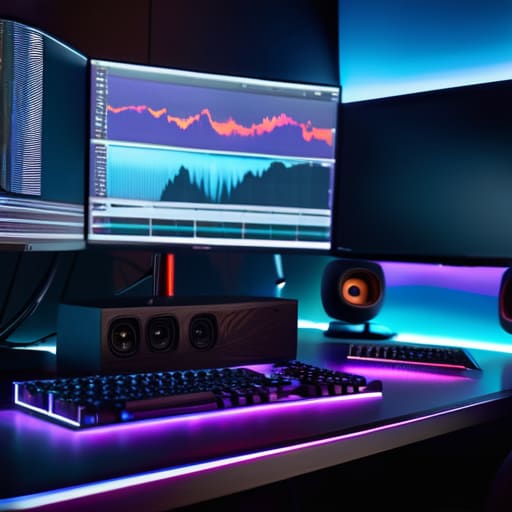
When you look at the best streaming software for beginners, you aren’t just choosing a tool to capture your screen; you’re choosing the engine that dictates your technical ceiling. OBS Studio is the industry standard for a reason—it’s open-source and gives you total control—but that control comes with a steep learning curve. If you don’t understand how your CPU handles encoding versus your GPU, you’ll end up with a broadcast that looks like a slideshow. It’s a classic design trap: the software gives you infinite agency, but without knowing your streaming hardware requirements, that agency just leads to dropped frames and viewer churn.
Then there’s the “convenience tax” of paid alternatives like Streamlabs. They offer a much smoother onboarding experience, which is tempting when you just want to hit ‘Go Live,’ but they often act as a layer of abstraction that hides what’s actually happening under the hood. You might find yourself wrestling with live streaming audio settings or plugin conflicts that are harder to debug because the software is trying to be “smart” for you. Every click in your software is a trade-off between ease of use and the ability to actually fix things when they break.
The Invisible Mechanics: Five Design Decisions for Your First Broadcast
- Stop treating your schedule like a suggestion. If you show up whenever you feel “inspired,” you aren’t building a community; you’re just playing a single-player game in a public room. Consistency is the mechanical hook that tells a viewer, “This is a reliable loop you can join.”
- Audit your audio before you touch your lighting. In the hierarchy of player attention, a grainy webcam is a minor annoyance, but terrible audio is a hard disconnect. If your mic sounds like you’re broadcasting from inside a cardboard box, you’ve just told your audience that you don’t value their time—or your own craft.
- Choose your “interaction layer” early. Every alert, every command, and every chat bot is a piece of UI that mediates the relationship between you and the audience. If you set them up to be too loud or too frequent, you aren’t “engaging” people; you’re just cluttering the screen and breaking the flow of the actual content.
- Define your “Minimum Viable Stream.” Don’t try to build a feature-complete masterpiece on day one. Decide what the absolute baseline is—one game, one mic, one way to talk to chat—and stick to it. Complexity is the enemy of the solo dev, and it’s the enemy of the new streamer too. Over-engineering your setup leads to burnout before you even hit your first hundred followers.
- Remember that your “personality” is competing with every other high-production streamer on the platform. You don’t win by mimicking a pro’s high-energy persona; you win by being the most coherent version of yourself. If your stream’s “sentence” is “I am a person who plays this game and talks about it,” make sure you aren’t trying to scream “I am a professional entertainer” when you don’t have the mechanics to back it up yet.
The Final Design Decision
At the end of the day, you aren’t just buying a microphone or picking a bitrate; you are assembling a set of tools that will dictate how you interact with your community. We’ve looked at the hardware, the software, and the hidden costs that most “beginner guides” ignore because they’re too busy selling you a dream. But remember: every piece of gear is a component in a larger system. If your audio is clipping or your frame rate is chugging, you aren’t just having a technical hiccup—you are sending a signal to your viewers that the experience isn’t a priority. Your setup is the mechanical framework that supports your social intent, and if the mechanics are broken, the social connection will eventually fail too.
Don’t get paralyzed by the idea that you need a studio-grade setup to start. I’ve spent years looking at game economies and player behavior, and the truth is that people don’t stay for the 4K resolution; they stay because of the meaningful interaction happening behind the screen. If you spend all your time optimizing your lighting but forget to actually engage with the person in your chat, you’ve built a beautiful engine with no fuel. Start with what you have, make intentional choices, and treat your stream like a living system that you can iterate on. Stop trying to launch a finished product and just start writing your first sentence.
Frequently Asked Questions
If I'm just starting out, how do I know if my hardware is actually "good enough" to prevent the technical friction that kills a viewer's attention?
Don’t look at benchmarks; look at the friction. If your game stutters when you hit “Start Recording,” or if your audio drifts three seconds behind your face, you aren’t just having a “bad technical moment”—you’re telling your viewers that your presence is secondary to your hardware. If the technical cost of staying in your stream is higher than the reward of watching you, they’ll bounce. Aim for stability over fidelity. A steady 720p is a coherent sentence; a stuttering 1080p is just noise.
How much of my budget should I realistically split between "looking good" for the camera and "sounding good" for the audio, given that one is a luxury and the other is a requirement?
If you’re splitting a budget, you’re essentially deciding which part of your “gameplay” is broken. Audio is your core mechanic; if it’s clipping or muffled, players will alt-f4 before you even finish a sentence. Video is just a cosmetic skin. Spend 70% on audio. A streamer with a grainy webcam but crisp, warm audio feels professional; a streamer with a 4K camera and a buzzing headset feels like a broken build. Fix the audio first.
At what point does the complexity of my software setup stop being "intentional design" and start becoming a technical hurdle that keeps me from actually playing the game?
It stops being design the moment you spend more time troubleshooting your OBS scene transitions than you do actually interacting with your chat. In game design terms, you’ve moved from “mechanics” to “friction.” If your technical setup requires a manual of its own just to start a session, you aren’t building a broadcast; you’re building a barrier. When the tool stops facilitating the play and starts competing with it for your cognitive load, you’ve lost the plot.

